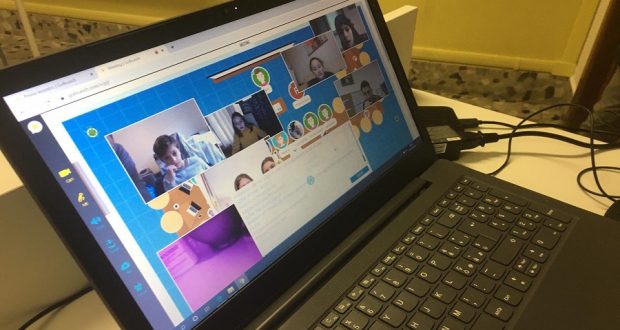
Strumenti per la didattica a distanza.
Nei giorni dell’emergenza dare consigli sulla didattica a distanza non solo è utile ma anche semplicemente eticamente corretto.
In questi giorni mi ritrovo tante domande e con la necessità di dare risposte semplici e dirette.
Ecco un estratto da una circolare creata per la mia comunità scolastica e i tutorial suggeriti per fare velocemente un corso online.
Gli strumenti da utilizzare sono potenzialmente molti ma quelli che a mio modesto parere sono facili e immediati sono i seguenti:
- Classroom su Google Suite Education: per tenere contatto diretto con gli studenti, assegnare compiti, condividere materiale, monitorare le loro attività.
https://classroom.google.com - Meet su Google Suite Education per le eventuali lezioni in streaming.
https://meet.google.com
Altri strumenti consigliati, non inclusi nella GSuite:
- Screen-Cast per registrare la propria lezione e condividerla su YouTube
https://screencast-o-matic.com/ (Software gratuito per registrazioni fino a 15 minuti).
Video tutorial su classroom :
Video tutorial su meet:
Video tutorial sulla registrazione della lezione con screen cast: education/videolezioni-come-fare/
ecco il primo tutorial da fare:
ecco il video su meet consigliato:
Ringrazio il team di amici e colleghi che hanno contribuito a dare e sintetizzare le linee guida e i suggerimenti sopra citati (Andrea Goia, Daniele Greco, Emanuele Avantaggiato, Lorella Garbossa)
Studio Assistito con l'Intelligenza Artificiale
Vuoi padroneggiare al meglio i concetti di questo articolo? Avvia lo studio assistito per generare riassunti automatici, mappe concettuali o farti interrogare con il metodo socratico.